Real Drum electronic drums set
Kolb AppsMusic
4.520.91K Reviews
- Version
- 11.18.7
- Installs
- 100.00M
- Age Rating
- Everyone
Screenshots
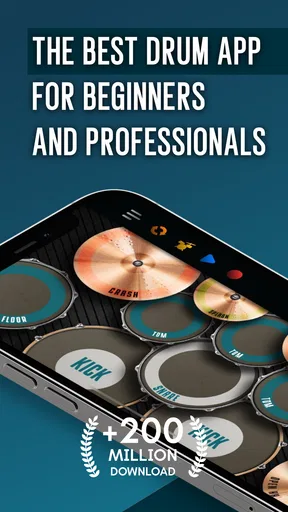
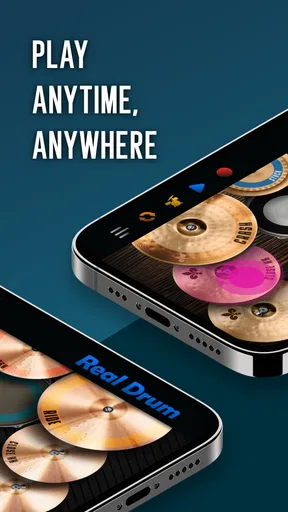
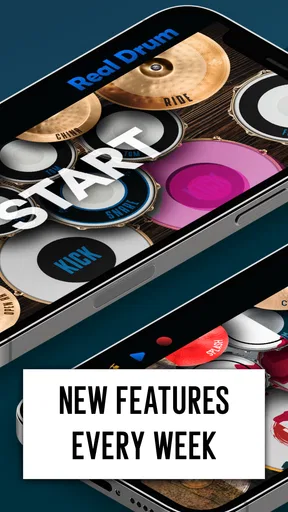
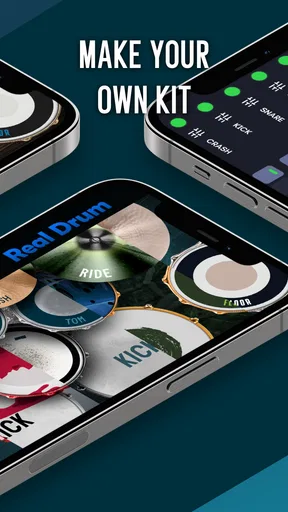
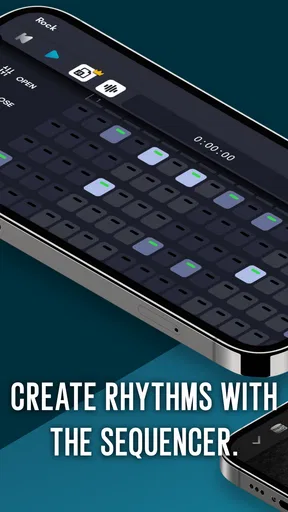
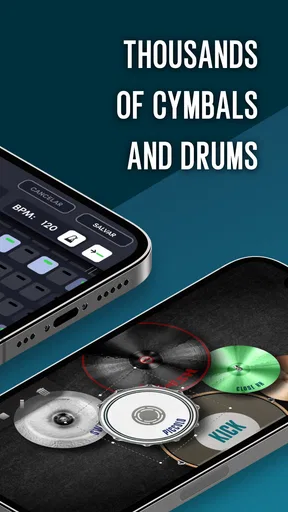
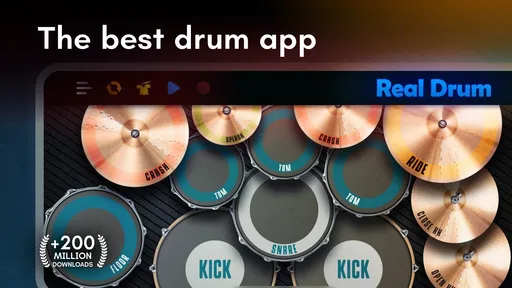
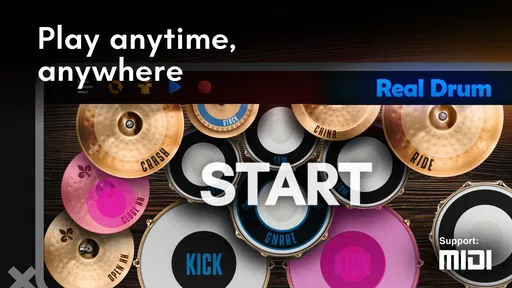
Our Review of Real Drum electronic drums set
 Analysis by Appyee
I always find it easier to learn a new instrument when I can try things without making a big commitment first. Real Drum gives me that low-pressure starting point: I can tap out a rhythm on a phone or tablet, hear how the parts fit, and come back to it whenever I have a few spare minutes. It is a music game from Kolb Apps, but its appeal is less about winning and more about building a feel for a drum pattern through hands-on play.
What to expect from a virtual drum kit
The first thing to know is that tapping a screen is not the same as playing an acoustic kit. The app gives you a visual set of drum and cymbal pads to strike, so the main challenge is coordinating your fingers and keeping a steady pulse. That makes it enjoyable for casual experimenting and useful for basic rhythm practice, while still leaving out the physical rebound, stick technique, and room-filling sound of real drums.
Its scale is reflected in its audience: Real Drum has a 4.4 average from around 1.6 million ratings and has been installed over 100 million times. Those figures tell me it is an established option, but they do not mean every player will find touch controls comfortable. If you already have a physical kit or need detailed instruction in technique, treat this as a handy companion rather than a replacement.
Getting Started with Real Drum
First things first, downloading the Real Drum app is a breeze. It's available for both Android and iOS, so no worries about compatibility. Once installed, the setup process is straightforward. The app launches directly into a colorful interface resembling a real drum kit, which is pretty cool if you ask me. The visual layout is intuitive, making it easy for beginners and seasoned drummers alike to navigate.
Make the first session feel manageable
For a first run, I would resist the urge to explore every option at once. Pick a kit, tap each visible pad slowly, and listen for the difference between the parts before trying a full beat. Then set yourself a tiny goal: keep a simple pulse with one hand while adding a second sound only when the pulse feels steady. That gives you an early win without turning the screen into a test of finger speed.
A phone is convenient for a quick rhythm break, but a tablet can make the pads easier to reach with both hands. Either way, position the device on a stable surface rather than holding it while you play. That small choice helps keep your taps consistent and makes it easier to see the whole kit. If your first attempts sound uneven, slow down; on a touch screen, clean timing is more rewarding than frantic tapping.
Features That Make You Want to Drum All Day
The app boasts a range of features that make it stand out. You’ve got multiple drum kits to choose from, including rock, jazz, and electronic. Switching between them is seamless, letting you explore different sounds without missing a beat. Trust me, the variety here is impressive.
One feature I particularly enjoyed is the ability to customize your kit. You can adjust the position of the drums and cymbals to suit your playing style. For those who like to experiment, the app even allows you to add your own sounds. Imagine drumming along to the beat of your own creation!
Use customization as a practical tool
Changing pad positions is more than decoration: it can help reduce awkward reaches when you are playing with two thumbs or several fingers. I would arrange the sounds I use most within easy reach, then keep less-used pieces toward the edges. The useful trade-off is that a layout that feels natural on a tablet may not suit a smaller phone, so it is worth adjusting the arrangement to the device you actually use rather than expecting one setup to work everywhere.
Adding personal sounds can also turn the kit into a sketchpad for ideas, but it changes the character of practice. Familiar drum tones make it easier to hear a conventional groove; unusual sounds are better when the goal is simply to explore. I would save experimentation for a separate session, then return to a familiar kit when working on consistency.
Practice Makes Perfect
If you're looking to improve your skills, Real Drum offers a practice mode with pre-recorded loops and tracks. This is perfect for honing your timing and rhythm. Plus, you can record your sessions to track your progress or to show off your drumming prowess to friends.
And it doesn’t stop there. The app includes tutorials to guide you through the basics and beyond. Whether you're learning your first beat or mastering complex rhythms, these tutorials are a valuable resource. As someone who loves learning on the go, I found this feature to be particularly useful.
Build a repeatable practice routine
Loops and tracks are most useful when I treat them as a timing partner, not a scoreboard. I start by listening through once, then play only the simplest part I can keep steady. After that, I add another sound or accent and notice where my timing slips. If a pattern falls apart, I return to the simpler version rather than tapping harder and hoping it sorts itself out.
Recording a short attempt gives me something concrete to compare later. I would keep clips focused on one rhythm instead of recording a long session: it is easier to hear whether the beat stayed even and whether an added accent helped. This is also a sensible way to share a small musical idea without presenting a rough practice session as a finished performance.
Common first-session confusion
A common frustration with screen drumming is that a missed tap can feel like a problem with the app when it may be a problem with reach or timing. Before changing everything, try a slower pattern and make sure each finger lands clearly on its intended pad. If you are using a phone, avoid spreading your hands so far that one tap nudges the device or makes the other hand miss.
It also helps to separate learning a beat from learning the layout. First get comfortable locating the sounds; then work on rhythm. Switching kits or rearranging pads in the middle of a practice attempt can make a familiar pattern feel suddenly different, so I prefer to settle on one arrangement for a few sessions before changing it. That is not a rule, just a way to make progress easier to judge.
Why Real Drum Rocks
One of the standout aspects of Real Drum is its user-friendly interface. The developers have done a stellar job making the app accessible to everyone. The graphics are vibrant, and the response time is impressive, ensuring a smooth playing experience. You don’t need to be a tech wizard to get the most out of this app, which is a big plus in my book.
Additionally, the sound quality is top-notch. The drums and cymbals produce realistic sounds that make you feel like you’re playing on a real kit. For those of us who live in apartments where noise is an issue, this app is a fantastic alternative to a physical drum set.
Where it fits in everyday life
For me, the clearest use case is a short break between other tasks: I can open the kit, work on keeping a pulse, and leave with a small rhythm idea instead of needing a rehearsal room or a full setup. It can also help a guitarist, singer, or songwriter try out a beat before practicing with other people. In a shared home, headphones can make the experience less intrusive, though the physical tapping on glass still makes this a poor choice if you need completely silent practice.
Compared with rhythm games built around fixed prompts, this feels more like an open set of instruments to explore than a test with a single correct sequence. Compared with a real electronic drum kit, it is far easier to pick up casually and far less convincing for developing stick control or playing with your whole body. If your main aim is a structured, step-by-step music course, a dedicated lesson app may suit you better; if you want to tap out ideas immediately, this is the more direct route.
Know the trade-offs before settling in
The app is free to start, is rated Everyone, and its current version is 11.15.3. It was released on April 4, 2012, and the minimum operating system is 7.0. There are in-app purchases ranging from $0.99 to $18.99 per item, so I would check the purchase details shown in the app before spending. You do not need to treat those purchases as part of the first practice session; begin with what is available and decide later whether anything extra would add value for you.
There is a practical limit to touch-screen drumming that matters more as patterns get busier: several fingers competing for small areas can make accuracy harder, especially on a compact screen. The app is most satisfying when I focus on groove and experimentation, not on pretending that a phone reproduces every part of a drum kit. That distinction keeps expectations realistic and helps explain why a casual player may enjoy it more than someone seeking a full instrument substitute.
The Social Aspect
Real Drum also taps into the social side of music-making. You can share your recorded sessions directly from the app to your social media platforms. It’s a fun way to engage with fellow drummers and get feedback from your peers. Who knows, you might even go viral!
Who should try it, and what to do next
I would recommend it to a curious beginner who wants an approachable way to explore drum sounds, to a musician who needs a quick rhythm sketchpad, or to anyone who enjoys casual finger drumming. I would skip it as a primary learning tool if your goal is posture, stick technique, coordination across a physical kit, or detailed coaching. For those goals, hands-on lessons or a real practice instrument will provide feedback a phone screen cannot.
When you are ready to move beyond random tapping, choose one tutorial or loop, keep the same kit and layout, and practice one small pattern until it feels repeatable. Record it, listen back once, and decide on one adjustment rather than changing several things together. That simple routine answers the most important beginner question—what should I do after opening the app?—with a clear next step, while leaving room to explore at your own pace.
Final Thoughts
All in all, Real Drum is more than just an app; it's a gateway to musical creativity. Whether you're a beginner looking to start your drumming journey or a seasoned drummer wanting to jam on the go, this app has something for everyone. It's easy to use, packed with features, and most importantly, it makes drumming accessible to everyone. So, what are you waiting for? Grab your device, download Real Drum, and start rocking out today!
Privacy and Permissions
See what permissions an app requests and how it handles your data.
- Photos/Media/Files
- read the contents of your USB storage, modify or delete the contents of your USB storage
- Storage
- read the contents of your USB storage, modify or delete the contents of your USB storage
- Microphone
- record audio
- Wi-Fi connection information
- view Wi-Fi connections
- Other
- view network connections, full network access, change your audio settings, run at startup, control vibration, prevent device from sleeping, Google Play license check, read Google service configuration
Verdict
Strengths of Real Drum electronic drums set
- User-friendly interface for beginners.
- Realistic drum sounds and rhythms.
- Customizable drum kits available.
- Multitouch support enhances playability.
- Free to use with optional upgrades.
Limitations of Real Drum electronic drums set
- Ads can be intrusive at times.
- Limited features in free version.
- Requires internet for some functions.
- Occasional lag on older devices.
- In-app purchases can be pricey.
Other Releases by Kolb Apps
View All
Real Guitar: acoustic electric
Music4.3

Classic Drum: play drums
Music4.6

Real Piano electronic keyboard
Music4.5

Real Bass electric bass guitar
Music4.5
Similar Picks in This Category
View All
Tiles Hop Music & Ball Game
AMANOTES PTE. LTD.4.3

Magic Tiles 3™ - Piano Game
AMANOTES PTE. LTD.4.6

Real Piano
Bilkon3.7

Piano Game: Classic Music Song
Dream Tiles Piano Game Studio4.0

Smash Colors: Music Ball Rush
BADSNOWBALL HONGKONG LIMITED4.2

Piano Music Go-EDM Piano Games
Joy Journey Music Games4.5
You May Also Like
View All
Frequently Asked Questions
What is Real Drum and how does it work?
Real Drum is a mobile application that simulates a drum kit on your smartphone or tablet. It allows users to play drums using their fingers on a touchscreen interface, offering a realistic drumming experience with various kits and percussion instruments. The app is ideal for both beginners and experienced drummers to practice or create music on the go.
Is Real Drum suitable for beginners?
Yes, Real Drum is perfect for beginners. It offers a user-friendly interface, interactive tutorials, and lessons to help new users get started. The app provides a range of easy-to-follow guides and exercises designed to improve drumming skills progressively, making it an excellent tool for learning the basics.
What features does Real Drum offer?
Real Drum includes a variety of features such as multiple drum kits, high-quality sound samples, and the ability to record and share performances. Users can customize the layout, play along with music tracks, and access a library of lessons. The app also supports multi-touch for realistic drumming and offers regular updates with new features.
Are there any in-app purchases in Real Drum?
While Real Drum is free to download, it does offer in-app purchases. These purchases may include additional drum kits, premium features, or ad removal options. Users can choose to enhance their experience by purchasing these extras, but the core functionality of the app remains fully accessible for free.
Can I use Real Drum without an internet connection?
Yes, Real Drum can be used offline. Once downloaded, all the basic features and drum kits are available without an internet connection. This makes it convenient for users to practice or perform anywhere, even in areas with limited connectivity. Some features, like downloading additional content, may require internet access.
Play our best games!


